MeeBhoomi AP (మీ భూమి) – Check 1B, Adangal, FMB & E-Passbook Online
Before some years, people in Andhra Pradesh faced difficulties to access their land records due to long wait, paperwork, and weekends of govt. To solve these issues, the Government launched a portal for landowners, MeeBhoomi (మీ భూమి). an online site there you can see all your land records, and the meaning is Your Land.
Through this portal, AP people can easily check their land ownership details, village Adangal, Me 1-B and your LP map records.You can also print e-passbook from home.
Land Records Available On Meebhoomi AP
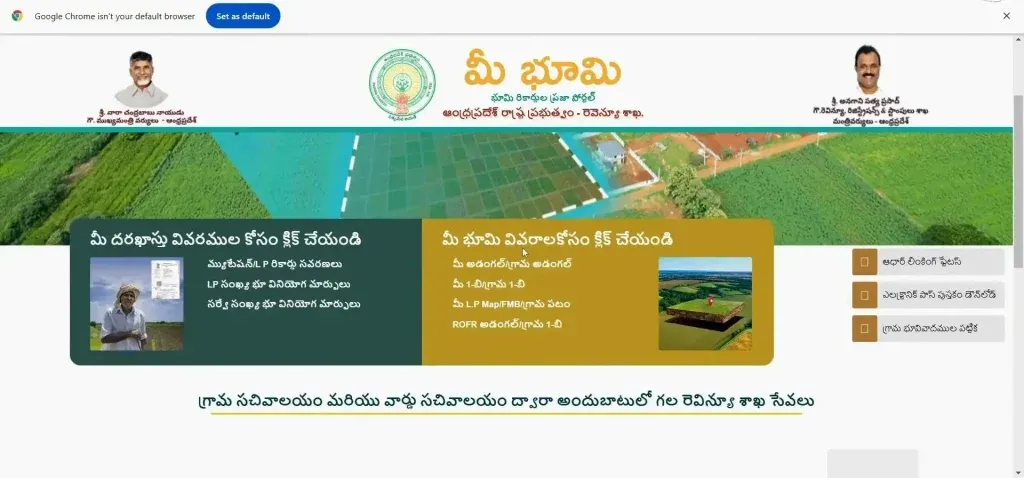
When you visit this portal AP then you will see these options for check your all land details:
|
Click For Your Land Details |
Click for your application details |
|---|---|
|
Your Adangal / Village Adangal |
Mutation / LP Record Corrections |
|
Me 1-B / Village 1-B |
Land use transformation |
|
Your LP Map / FMB / Village Map |
Graduating Aadhaar Seeding |
|
ROFR Adangal/Village 1-B |
Aadhaar Linking Status |
|
Electronic Pass Book Download |
|
|
Table of Village Land Disputes |
You can also read info of Webland login.
How To Check Land Details And Records On Meebhoomi
If you want to view land records, you need to visit the official adangal portal of Andhra Pradesh. This Portal specially designed for AP people, there you can check multiple land records like, Mutations/LP Records, Land Use Transformation, Aadhaar Seeding, Me 1-B or village 1-B, E Passbook Status and other land details.
Follow these steps and check your land details in AP:
Check Your Adangal/Village Adangal
To access your ROR-1B report follow this steps:
Step 1: Open Official Website
Open your internet Browser and search this website meebhoomi.ap.gov.in.
After the open this you will see two sections on homepage, number 1 “Click for your application details” (మీ దరఖాస్తు వివరాల కోసం క్లిక్ చేయండి) and number 2 is “Click for your land details” (మీ భూమి వివరాలకోసం క్లిక్ చేయండి),
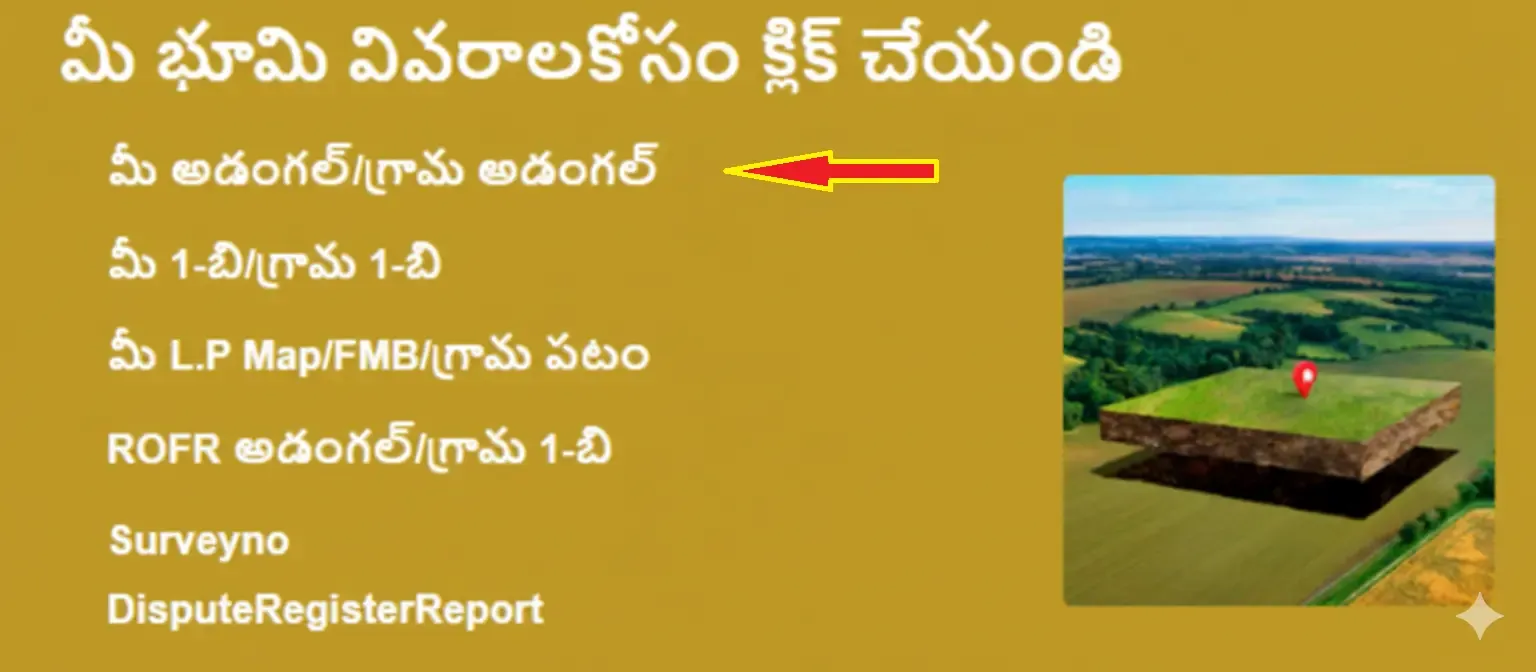
Just click on “Your Adangal/Village Adangal” (మీ ఆధంగల్ / గ్రామ ఆధంగల్).
Step 2: Select Your Location
Now after the click on Your Adangal/Village Adangal select your location like, District, Mandal, and Village.
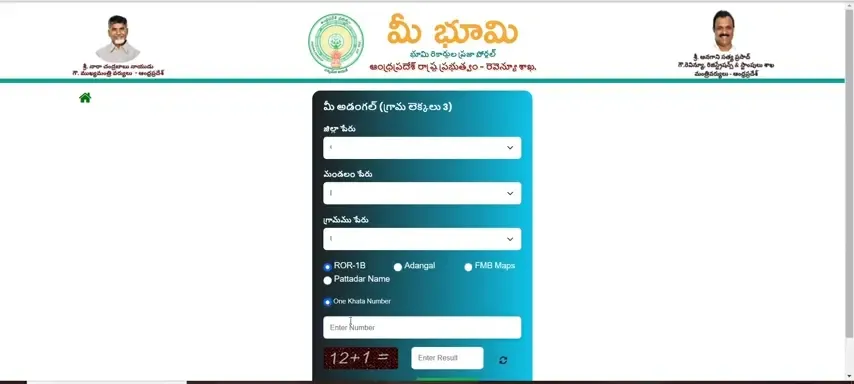
After this step just click on the ROR-1B option to check your land ownership, and then select “One Khata Number”. Now enter khata number in this box and fill the Captcha code.
Step 3: View & Print ROR-1B Details
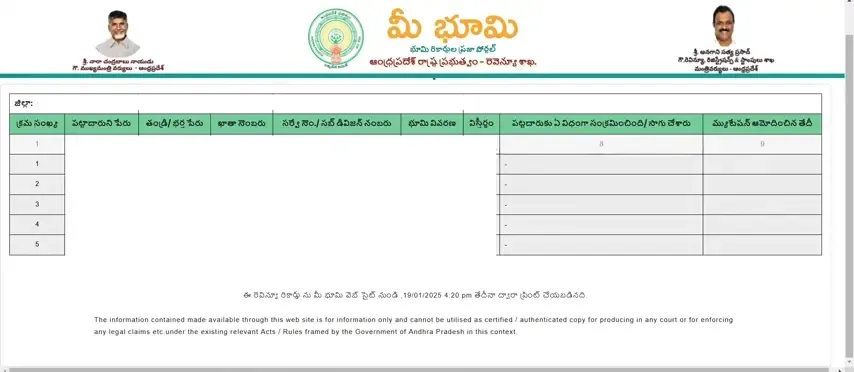
Now you can see ROR-1B details on the screen and you can also print these records for safety, just click on the print button.
Check Me 1-B/Village 1-B
Step 1: Open MeeBhoomi Official Site
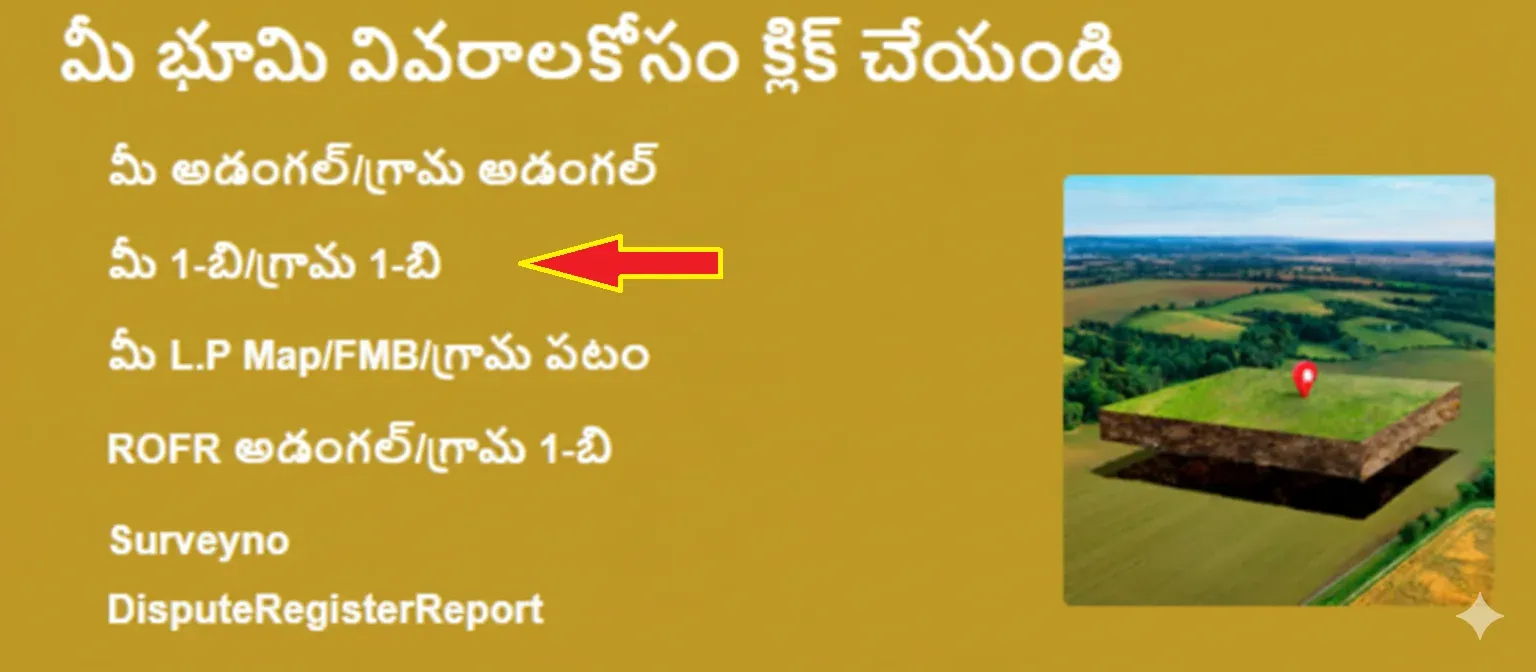
Open the internet Browser and Go to Mee Bhoomi Official site, then Click on “Me 1-B/Village 1-B” (మీ 1-బి / గ్రామం 1-బి).
Step 2: Enter Your Land Details
After the Click you will see this screen and now you need to fill your land details Like, Your District Name, Name of Mandal, and Village Name.

After this you have to click on “Adangal” to check Crop details, Soil,Area etc. Enter “One Survey Number”, fill in the captcha code and submit it.
Step 3: View & Print Your Adangal
Now your adangal AP details will appear on screen. Just click on the Print button to save or print these details.

Check Your LP Map/FMB/Village Map
Step 1: Open MeeBhoomi Official Site
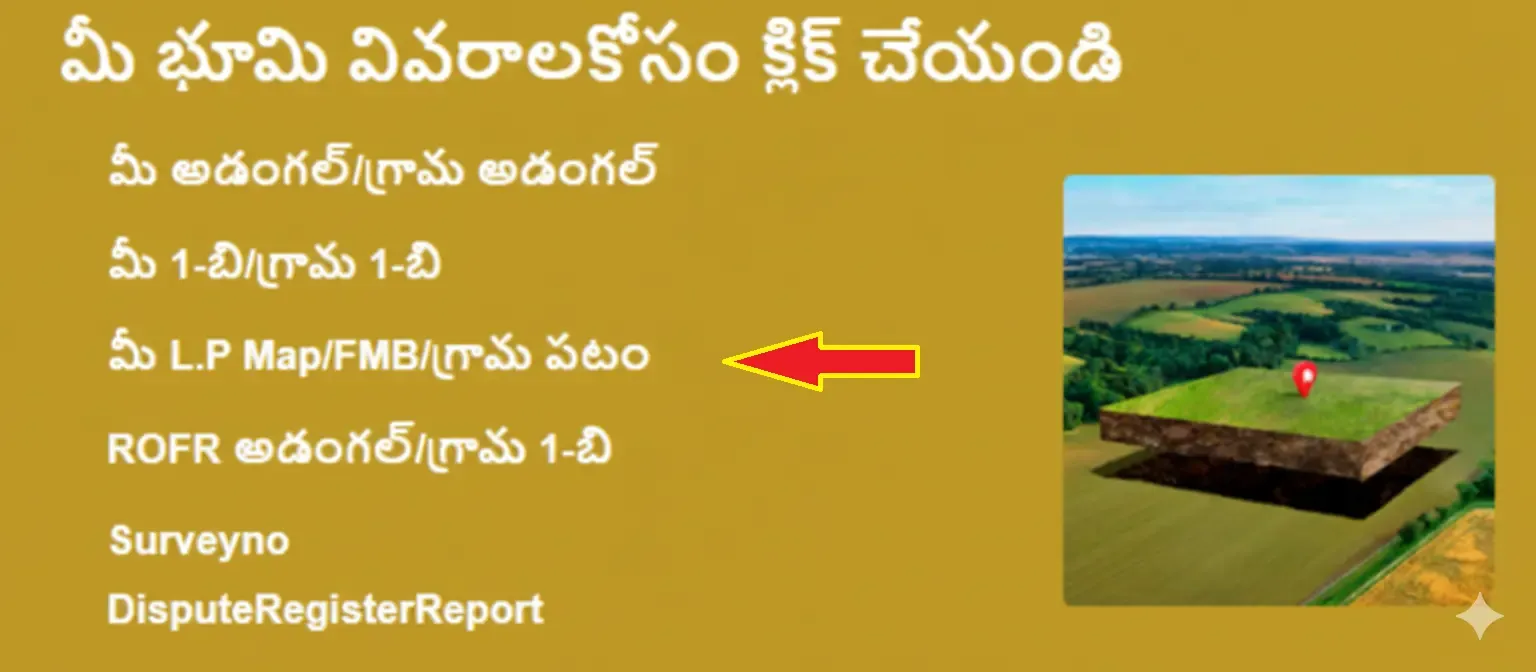
To check Your LP Map open your browser and go to the meebhoomi ap Portal and click on the Your LP Map/FMB/Village Map (మీ ఎల్పి మ్యాప్ / ఎఫ్ఎమ్బి / గ్రామ మ్యాప్).
Fill Land Details
After the Click you will see a new screen and now you need to fill in these details District Name, Name of Mandal, and Village Name.
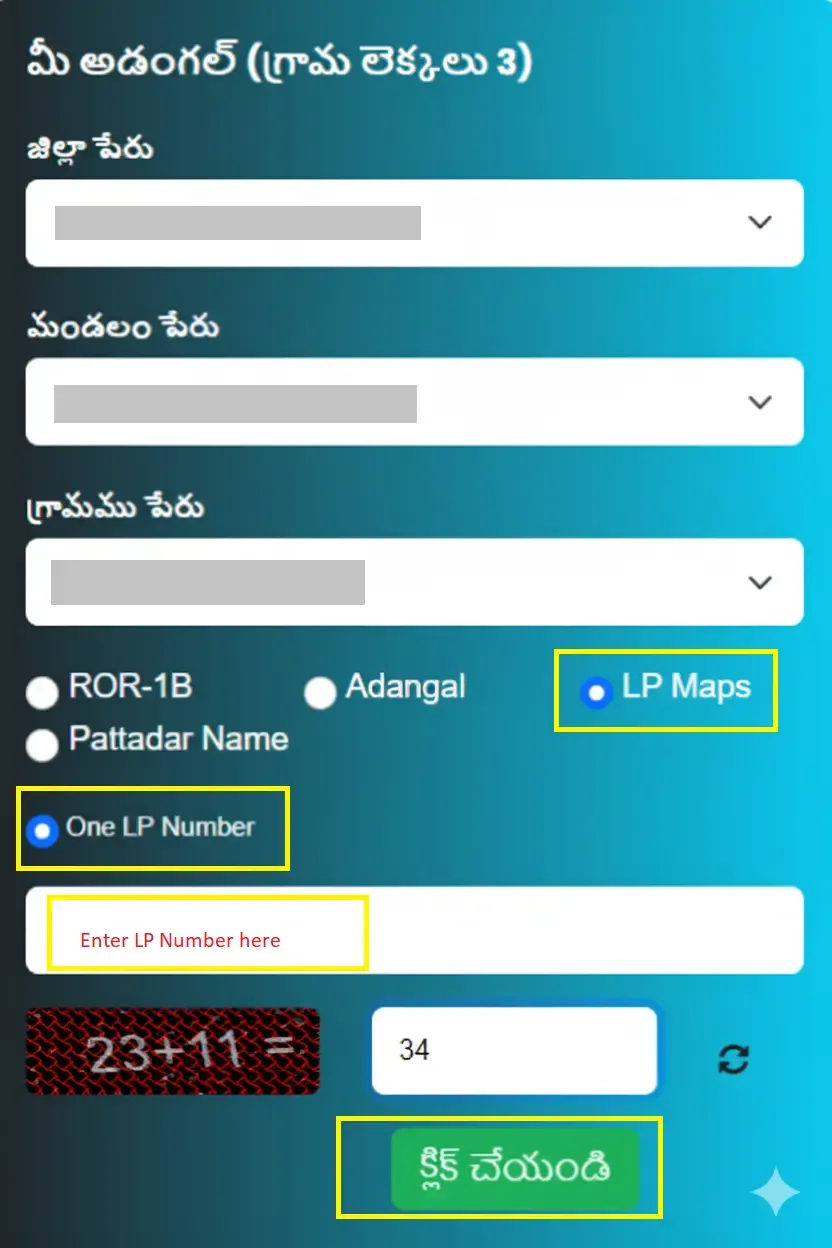
After this you have to click on “LP Maps” to check cadastral map/drawn field boundaries. Now enter “One LP Number” and fill in the captcha code.
Step 3: View & Print Your LP Map
After the click on submit button you will see a new screen where all your village maps will show, and you can also print this Map in PDF.

If you want to check your cadastral map then you can also visit Bhunaksha AP it provides step by step information to view land map.
Check ROFR Adnagal/Village 1-B
Step 1: Open ROFR Section
To quickly access ROFR Adangal. Open your browser and go to the Portal and click on the ROFR Adnagal/Village 1-B ఆధంగల్ / గ్రామం 1-బి

Step 2: Select Land Location
After this select your land location like, District, Mandal, and Village.
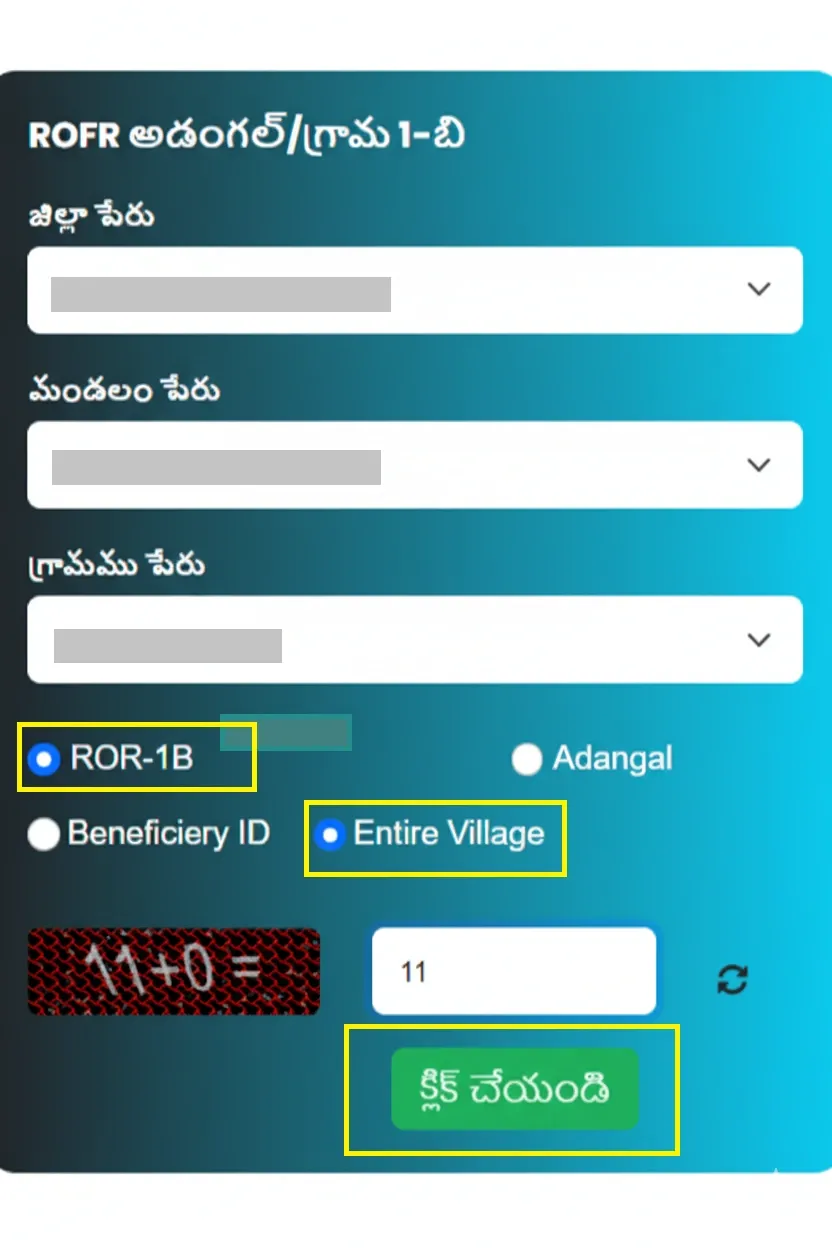
After this step just select the ROR-1B option to check Recognition of Forest Rights, and then select “Entire Village”, and fill in the Captcha code, click the submit button.
Step 3: View & Print ROFR Details
Now you can see ROFR Adnagal details on the screen and you will get the Name of graduate, Survey number, land description, etc. Click on print button and save it.
How To Check Aadhaar Linking Statuts In Meebhoomi AP
Step 1:
Go to the Browser and Go to Official site AP, then Click on Aadhaar Linking Status (ఆధార్ లింకింగ్ స్థితి).
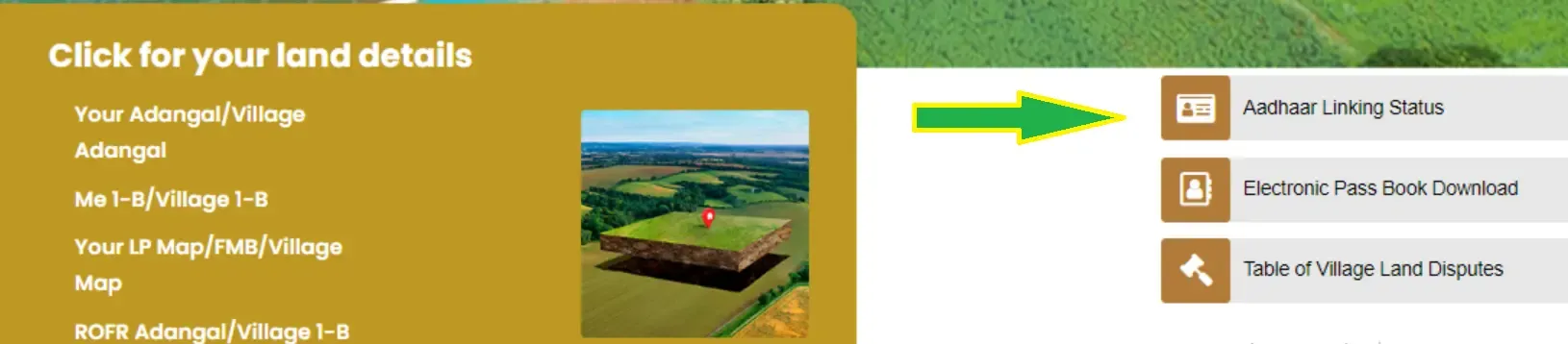
Step 2:
To check your Aadhar Linking Status enter land locations like, District, Mandal, and Village.
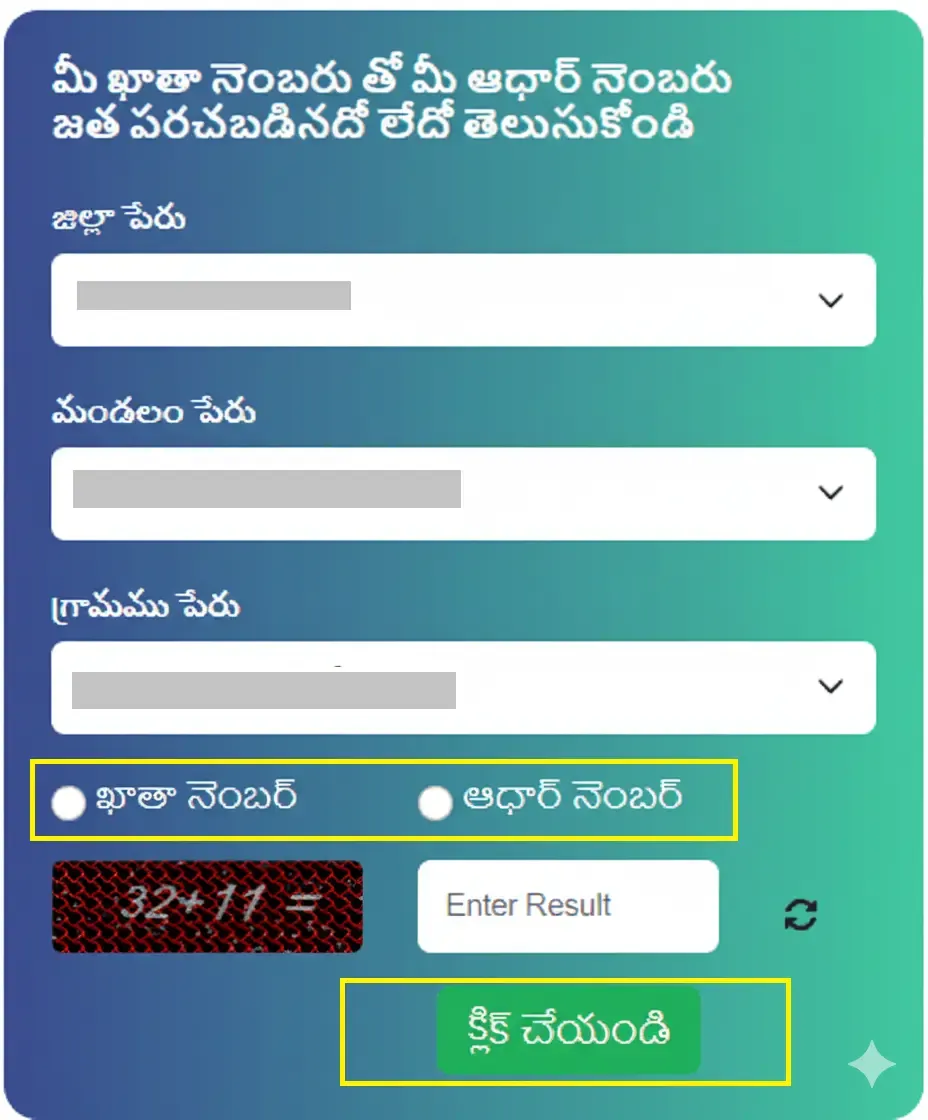
After that you have two options to check Aadhaar linking status, one is Account Number and two is Aadhaar Number. You can choose any option which one you have and fill in the captcha code.
Step 3:
Now you can see Aadhaar linking status on screen, and easily print it.
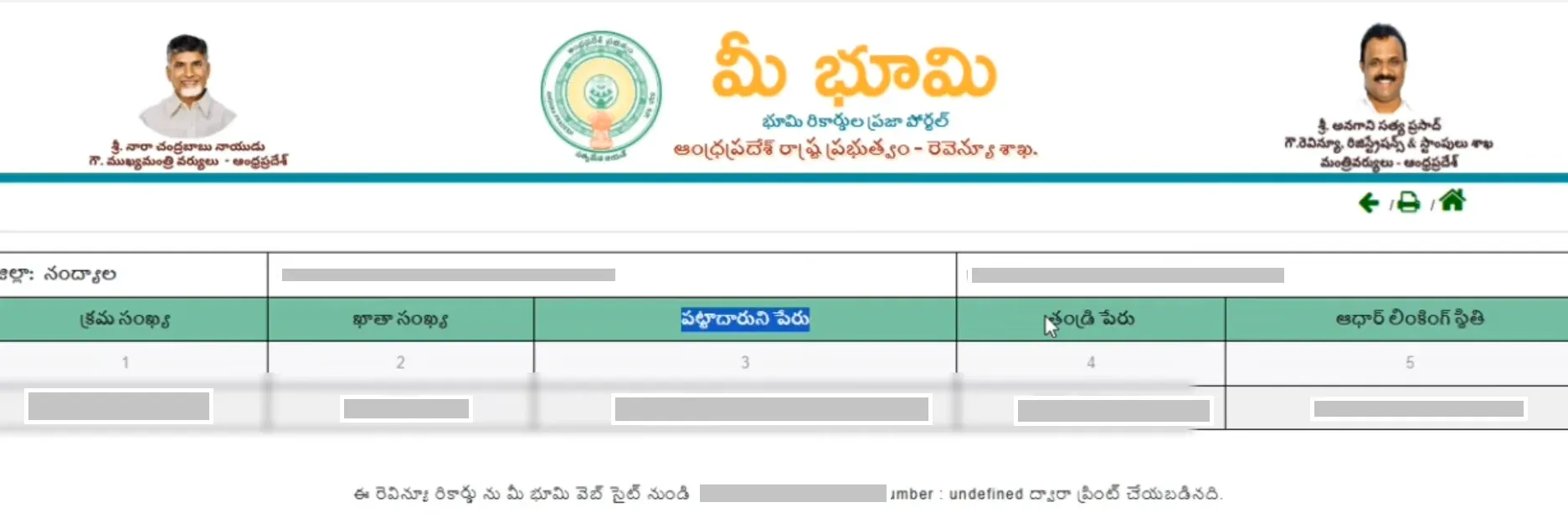
How To Download Electronic Pass Book
Step 1:
Open the Browser and Go to MeeBhoomi AP Official site, then Click on “Electronic Passbook Download (ఎలక్ట్రానిక్ పాస్బుక్ డౌన్లోడ్).
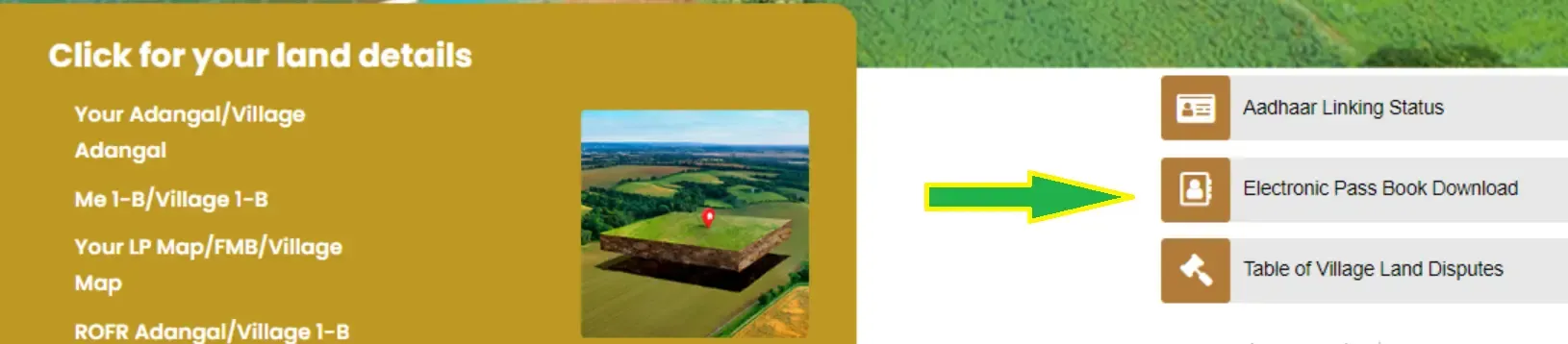
Step 2:
To get your E-Passbook enter land locations like, District, Mandal, and Village.
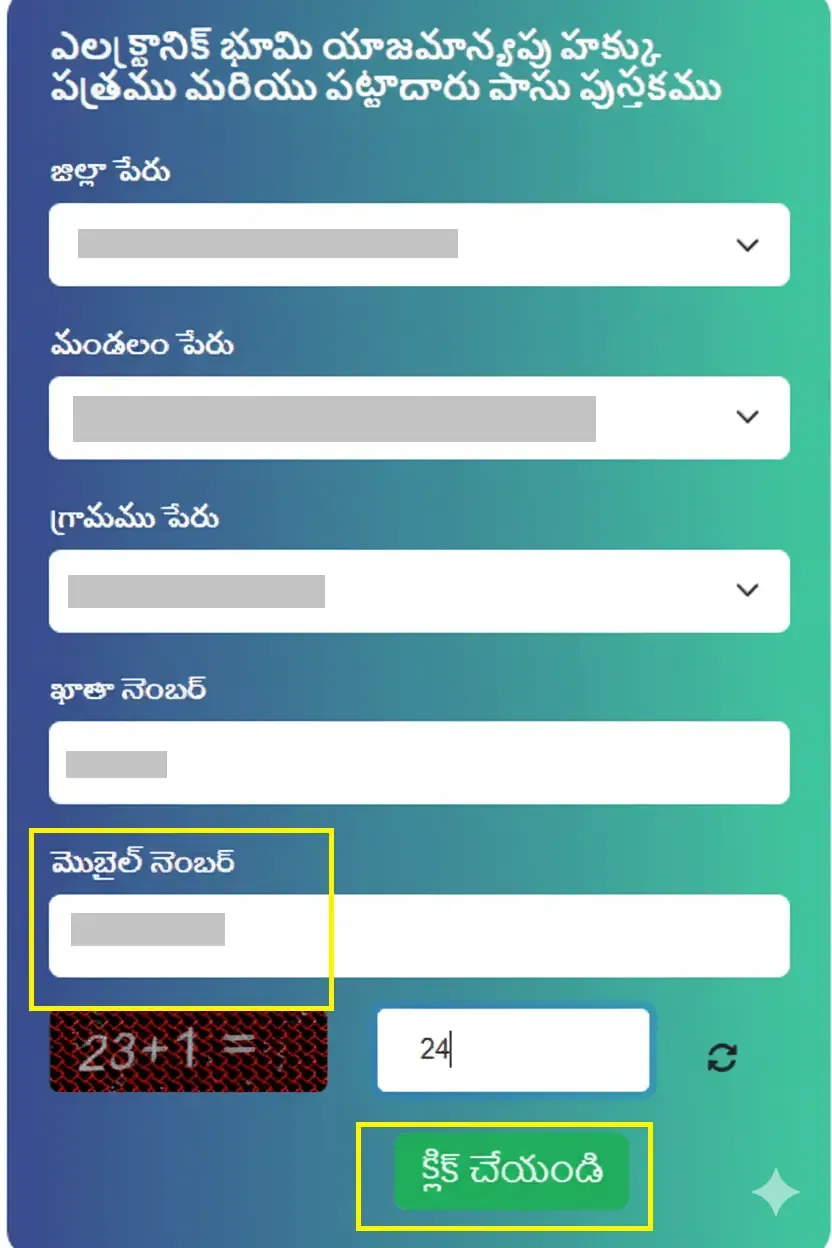
After this enter your account number. If you want to get an electronic passbook, first you need to link your phone number to your account, then you can get this otherwise you can’t get it.
Step 3:
After adding all details you will receive an OTP on your registered phone number that is linked to your account. Enter OTP and submit it.
Step 4:
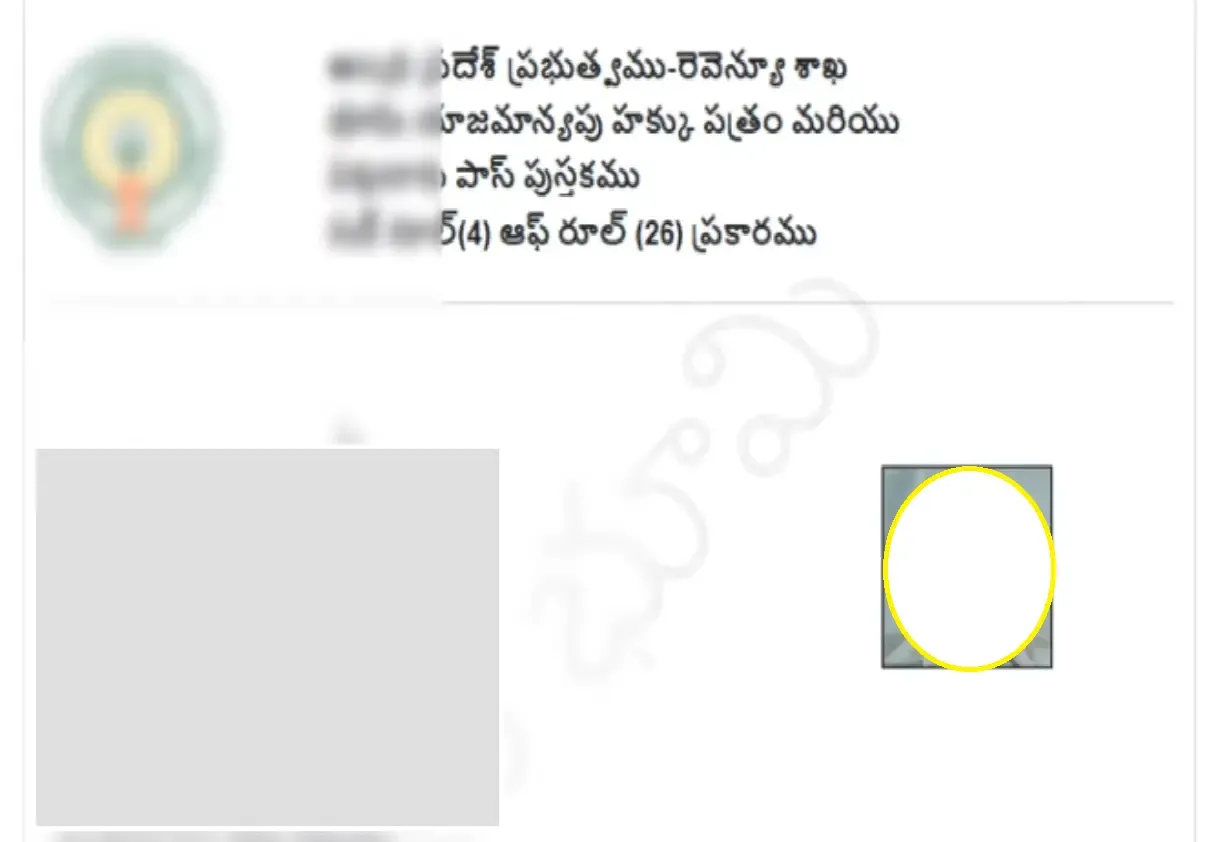
Now your Electronic Passbook will appear on the screen, and you can download it easily by clicking the print icon.
How To Check Village Land Dispute Online
Step 1:
Go to the Browser and open meebhoomi AP portal, then Click on Table of Village Land Disputes and Other Land Records (గ్రామ స్థల వివాదాల పట్టిక మరియు ఇతర భూమి రికార్డులు)

Step 2:
To Check Village Land Disputes, you have to enter land locations District, Mandal, and Village.

After that you can see village land disputes status on screen. In this data you have your details like, Dispute Court, Survey Number, Case or File Number, and Respondent Name. Just click on the print button and download it.
Visit Official Site
Final Words
This is an informational article where I’ve covered everything about the Meebhoomi AP portal — including how to use it and how to check your land records online. You can easily view your land details, Adangal, Village 1B, and other related information. If you have queries to related this information, you can ask.